What is the Gemini API free tier?
The Google Gemini API free tier gives developers free access to Gemini models (including the latest Gemini 3.5 Flash) without adding a credit card. You request an API key and call the models within the free quota. For individual developers, students, and small projects, it's an easy way to get started.
1. Getting a Gemini API key
Step 1: Open Google AI Studio
Open your browser, go to Google AI Studio (aistudio.google.com), and sign in with your Google account.
Step 2: Open the API Keys page
After signing in, click Get API key in the left menu, or go straight to the API Keys page.
Step 3: Create an API key
Click Create API Key, pick or create a Google Cloud project, and you'll get a key starting with AIzaSy. Copy it and store it somewhere safe.
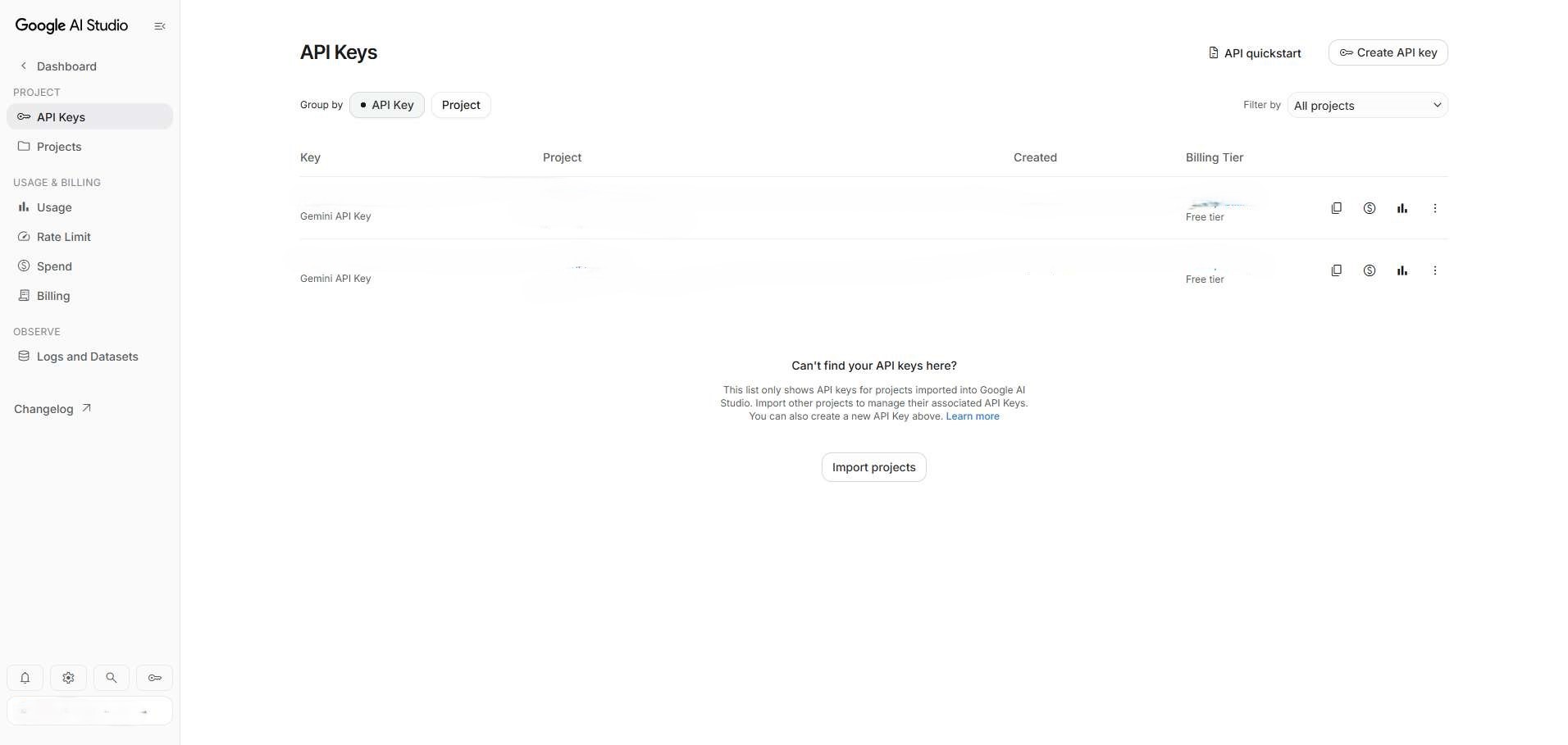
Here's the API key management page in AI Studio:
2. Free quota and usage limits
The Gemini API free quota is not time-limited (it doesn't expire). The constraint is rate limits. As long as you stay under them, you can keep using the API indefinitely.
Rate limits on free models
These are the latest free-tier numbers from the AI Studio rate limit page:
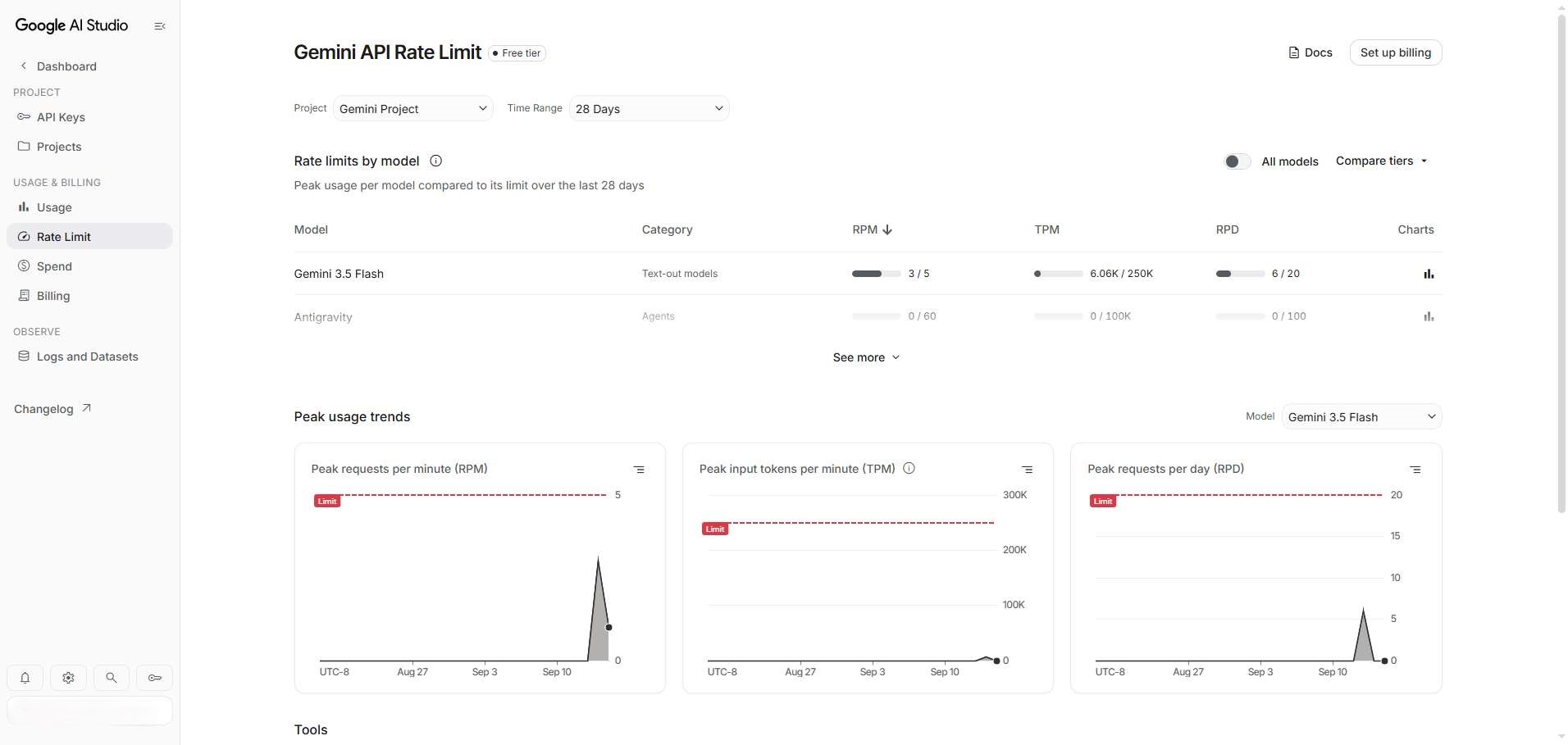
What the limit fields mean:
| Field | Meaning |
|---|---|
| RPM (Requests Per Minute) | Max requests per minute. Going over returns a 429 throttling error. |
| TPM (Tokens Per Minute) | Max tokens per minute, input and output combined. |
| RPD (Requests Per Day) | Max requests per day. |
3. Free quota by model
| Model | Free RPM | Free TPM | Free RPD |
|---|---|---|---|
| Gemini 3.5 Flash | 5 | 250,000 | 20 |
| Antigravity | 60 | 100,000 | 100 |
Note: different models can have different free quotas. The AI Studio Rate Limit page is the source of truth.
4. FAQ
Does the free API key expire?
No. The Gemini API free tier has no time limit. As long as your calls stay within the free rate limits, the key keeps working. Google has not announced an expiry date for the free tier.
How long will the free tier be around?
The free tier is ongoing — Google positions it as the permanent entry point for developers trying out the API. Policies can change, though, so keep an eye on Google AI's official announcements.
How do I check my usage?
Open the AI Studio API Keys page — each key has usage stats below it. The Rate Limit page shows the quota status per model.
What happens when I go over the quota?
Over the rate limit, the API returns 429 RESOURCE_EXHAUSTED. Wait for the throttle window to reset (usually 1 minute or 1 day) and you can keep going. Moving past the free tier entirely (i.e. upgrading to a paid tier) requires adding a payment method.
Can I use it in commercial projects?
Yes. The Gemini API free tier allows commercial use, within the free quota. For commercial projects, estimate your volume and upgrade to a paid tier when needed so traffic spikes don't interrupt your service.
5. Quick recap
The key points:
- Zero cost: no credit card needed — a Google account is enough
- No expiry: the free tier doesn't expire; usage is governed by rate limits
- Rate limits: each model has its own RPM/TPM/RPD. Gemini 3.5 Flash is 5 RPM / 250K TPM / 20 RPD
- Several models: the free tier covers Gemini 3.5 Flash, Antigravity, and others
- Easy to use: a standard REST API callable from most programming languages
Head to Google AI Studio, grab your free API key, and start building with Gemini.